
This guide will help you on how to modify your world settings in Windrose.
Follow the steps below and read the details for each setting below.
Step 1:
Stop your server
Step 2:
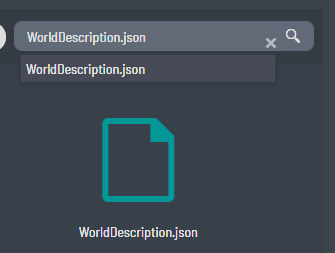
Go to File Manager, and look for WorldDescription.json
Either use the "Search" bar in File Manager, or navigate manually.
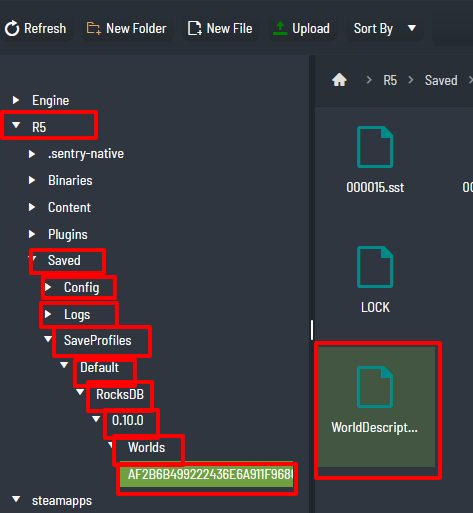
Step 3:
Modify the following based on your preference. Look for the values below.
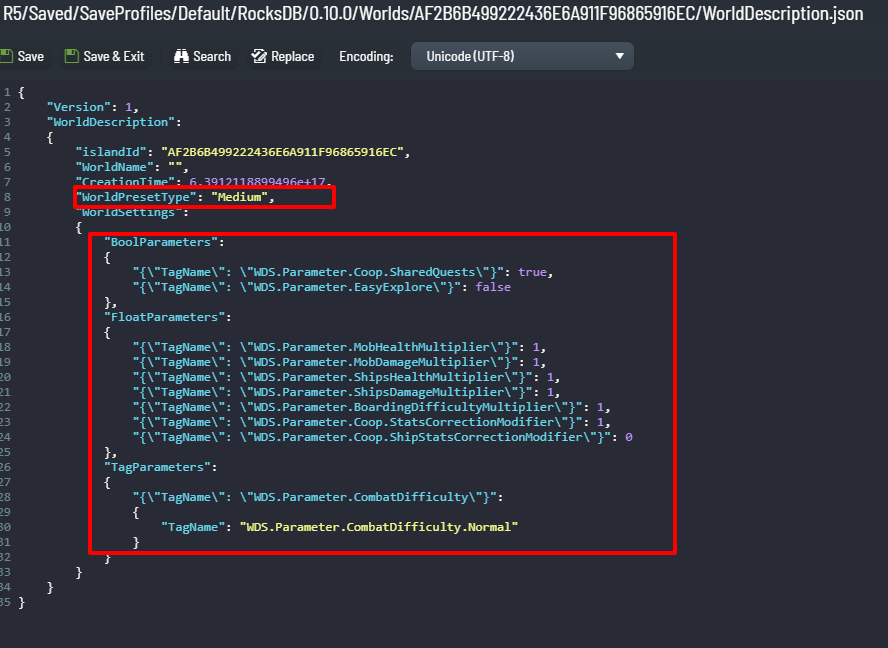
Here are the values per each parameter
| NAME | DETAILS | VALUES |
|---|---|---|
| WorldName | Identifies the world instance; usually left unchanged. | Text string |
| WorldPresetType | Applies a preset difficulty profile. Editing other values switches this to Custom. | Easy, Medium, Hard, Custom |
| Coop.SharedQuests | Controls whether quest progress is synchronized across players. | true, false |
| EasyExplore | Decides if unexplored points of interest show markers. Setting EasyExplore to true removes the markers |
true, false |
| MobHealthMultiplier | Adjusts the base health of enemies. | 0.2–5.0 |
| MobDamageMultiplier | Adjusts the damage output of enemies. | 0.2–5.0 |
| ShipsHealthMultiplier | Sets durability scaling for enemy ships. | 0.4–5.0 |
| ShipsDamageMultiplier | Sets attack power scaling for enemy ships. | 0.2–2.5 |
| BoardingDifficultyMultiplier | Defines how many enemies must be defeated when boarding weakened ships. | 0.2–5.0 |
| Coop.StatsCorrectionModifier | Increases enemy stats depending on active player count. | 0.0–2.0 |
| Coop.ShipStatsCorrectionModifier | Increases enemy ship stats depending on active player count. | 0.0–2.0 |
| CombatDifficulty | Determines boss encounter difficulty level. | Easy, Normal, Hard |
