
This guide will help you learn how to disable shared quest experience and completion.
"Make sure that you STOP your server before making any changes."
Step 1:
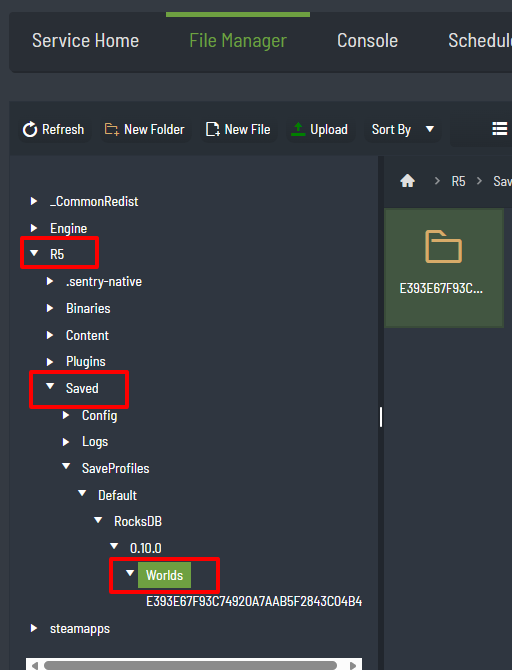
Go to /R5/Saved/SaveProfiles/Default/RocksDB/<Game Version>/Worlds/<Your World ID>
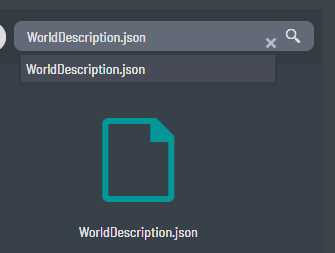
Or click Search in File Manager and type "WorldDescription.json" and click the link below
Step 2:
Modify the WorldDescription.json file. And set Coop.SharedQuests to false.

Step 3:
Save and Exit, and START your server.
