
Note: We suggest you stop your server prior to making these changes
Step 1:
Log into your game panel and click 'stop' on your service.
Step 2:
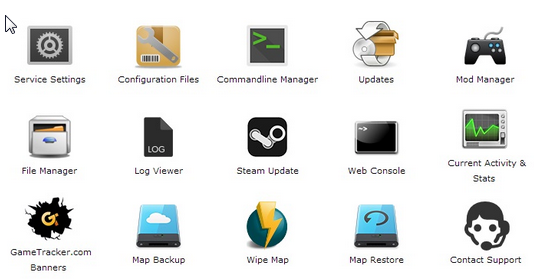
Select Commandline Manager from the icons
Step 3:
You will be presented with a screen that allows you to select between PVP and PVE
Step 4:
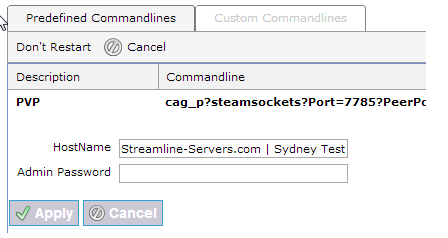
Press 'select' on the gamemode you would like to run, you will see the following:
Step 5:
From here you can set your server Hostname and Admin password
Step 6:
Restart your service
