
This guide will help you to start your server in Online or Offline mode.
• ONLINE
As of Update 11, ECO now requires users to provide servers with the login credentials of an account that owns the game in order for online functionality, such as the server list and coins, to work.
Firstly, ensure you have an account here: https://play.eco/login
The account must own a copy of the game or be linked to a Steam account that owns a copy of the game.
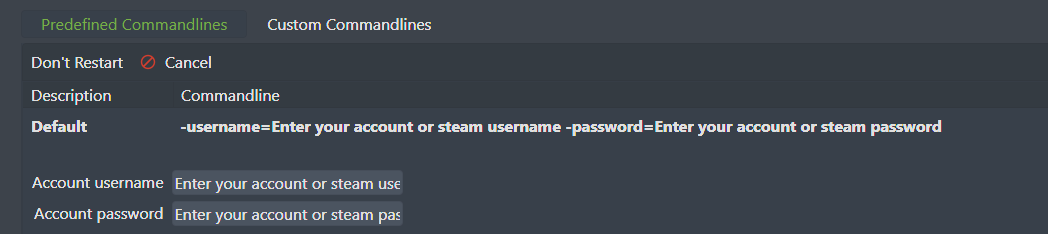
Go to your game panel's Commandline Manager and input the following account details.
• OFFLINE
Offline mode allows the server to work without such login credentials, disabling the online functionality.
Players wishing to connect to a server in offline mode will also need to set their game client to offline mode.
Go to CONSOLE and type:
'-offline' to start server in offline mode.
